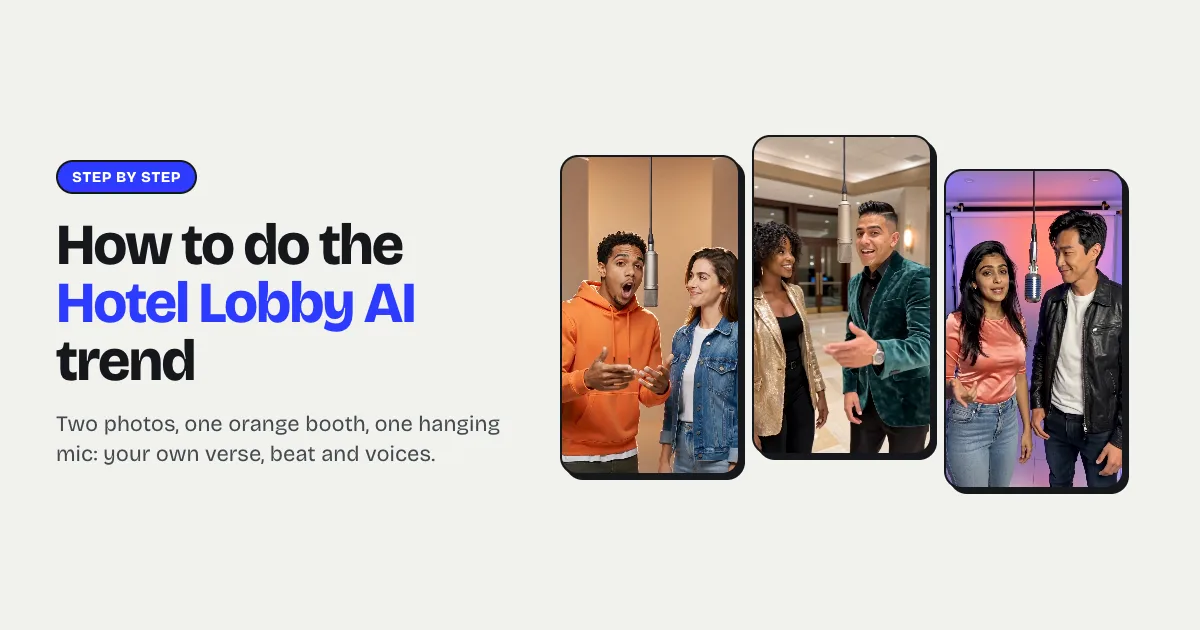
Short answer: to make the Hotel Lobby AI video, upload two selfies (one per person) or one photo of both of you to an AI rap video generator such as My AI Rap Video, keep the Orange booth scene, type what the rap should be about and press Make. In about three minutes you get a 12-second vertical video of the two of you trading bars at one hanging microphone in front of an orange wall, with original lyrics, a beat and two voices. It costs $9.99 a video.
What the Hotel Lobby AI video is
It's built on a real performance. "Hotel Lobby (Unc & Phew)" is a 2022 song by Quavo and Takeoff, the uncle-and-nephew duo from Migos, and they performed it on the COLORS show in June 2022: the two of them in front of a matte orange backdrop, sharing one hanging microphone and trading lines. In early September 2026 people started putting themselves into that setup with AI, first with pets, then with friends, couples, parents and grandparents, and it spread across TikTok, Reels and Shorts.
The recognisable ingredients are simple: two people, one hanging mic, an orange booth, a back-and-forth. That's what a Hotel Lobby AI video needs to have. For the full story of the trend, read what the Hotel Lobby AI trend is.
Why some people are uneasy about it
The trend has a serious side, covered by Tom's Guide, Complex and CNN in late September and early October 2026. Takeoff died in November 2022, so most versions copy the face and moves of someone who can't agree to it, and many tools swap your face onto the original clip and its copyrighted audio. That's also why those clips sometimes get muted or taken down.
There's a way to join the trend without any of that: make your own version. My AI Rap Video generates a new scene with your faces, an original verse, an original beat and two new voices, so nothing from the original performance or recording is reused.
What you need
- Two photos, or one with both of you. One adult per selfie, face toward the camera, good light, no sunglasses or heavy filters. Or one clear photo where both faces are visible.
- The other person's OK. It's their face rapping in a voice that isn't theirs. No photos of anyone under 18, and no celebrities.
- A topic, a few words about what the rap is about.
Hotel Lobby AI tutorial, step by step
1. Add the photos
Open the Hotel Lobby AI page. Keep Two selfies and add the left rapper and the right rapper, or switch to One duo photo. Swap the photos to swap sides.
2. Keep the Orange booth
The Orange booth is the trend's look: a seamless matte orange room in warm, soft light with one mic between you. Luxury lobby (marble and amber lamps) is the other popular pick, if you take the name literally.
3. Type the topic
This is what turns a copy into your video. "Who's always late", "uncle vs nephew", "our gym era", "mum and daughter" — the AI writes short, rhyming lines for each of you about it, with a punchline. There are one-tap presets too. A 12-second video gives each of you two lines.
4. Make it
Press Make and sign in with Google or an email. A 12-second 720p video is 10 credits, which is $9.99 on its own. Rendering takes about three minutes; you can close the page and find it under My videos. A failed render gives the credits back.
5. Post it
Download the HD MP4 (no watermark) and post it to TikTok, Reels or Shorts. Switch on the AI-generated label. Because the song is original, the video won't be muted for using a copyrighted track. If you want the original sound in the background anyway, add it inside TikTok from its own library, and know that it's that sound, not your video, that platforms check.
Tips that make it land
- Pick a duo with a dynamic. The original works because it's uncle and nephew. Grandparents, siblings, a boss and an intern, two flatmates: the relationship is the joke.
- Make the topic a disagreement. "Who's the better cook" gives both rappers something to fire back with.
- Try your pets. The trend's first wave was two cats. Switch the cast to pets and the bars come from the animals' point of view.
- Use 15 seconds for a proper exchange. Three lines each is enough for a setup, a comeback and a punchline.